
Data recovery in Chestermere
CompuTech recovers data for Chestermere, and if the files can't be got back you don't pay. Don't install recovery software onto the drive you're recovering from; it's the most common way people make it worse.
- ✓ No fix, no fee
- ✓ One all-in price for parts jobs
- ✓ No charge to look at drop-offs
- ✓ Most repairs done same day
Hours, address and more about CompuTech
| Day | Shop | In-home |
|---|---|---|
| Mon | 10:00 AM – 6:00 PM | 10:00 AM – 4:00 PM, 6:00 PM – 8:00 PM |
| Tue | 10:00 AM – 6:00 PM | 10:00 AM – 4:00 PM, 6:00 PM – 8:00 PM |
| Wed | 10:00 AM – 6:00 PM | 10:00 AM – 4:00 PM, 6:00 PM – 8:00 PM |
| Thu | 10:00 AM – 6:00 PM | 10:00 AM – 4:00 PM, 6:00 PM – 8:00 PM |
| Fri | 10:00 AM – 6:00 PM | 10:00 AM – 4:00 PM, 6:00 PM – 8:00 PM |
| Sat | 10:00 AM – 6:00 PM | 10:00 AM – 4:00 PM, 6:00 PM – 8:00 PM |
| Sun | 10:00 AM – 6:00 PM | Drop-off only |
- 303 Wentworth Row SW, Calgary, AB. In-shop service by appointment. Get directions →
- In-home visits booked by phone or online. Call before noon for same day.
- 587-317-0482
- Hours
- CompuTech's shop at 303 Wentworth Row SW, Calgary, AB is open Mon–Sun 10:00 AM – 6:00 PM. In-home visits across Calgary run Monday to Saturday, 10:00 AM – 4:00 PM and 6:00 PM – 8:00 PM. In-shop service is by appointment, booked weekdays 4:00 PM – 6:00 PM, weekends 10:00 AM – 6:00 PM. Sunday is in-shop appointments only.
- The shop
- CompuTech's shop is at 303 Wentworth Row SW, Calgary, AB. In-shop service is by appointment, booked by phone or online. Call CompuTech on 587-317-0482.
- Booking
- In-home visits from CompuTech across Calgary are booked by phone or through the site; calling before noon gives the best chance of a same-day slot.
- Pricing
- CompuTech's in-home visits in Calgary are $99 an hour and remote sessions $65 an hour, 1 hour minimum, then billed by the half hour. A repair that needs parts gets one price with the visit included, agreed before any work starts, and if it can't be fixed, you pay nothing. Machines dropped at the shop are looked at for no charge. Outside Calgary a travel fee applies, confirmed before the visit; Calgary has none.
- Turnaround
- Most CompuTech repairs in Calgary are finished the same day. Calling before noon gives the best chance of a same-day slot.
- Who turns up
- CompuTech is one technician who answers his own phone and does the work himself, fixing Calgary's laptops, networks and smart homes since 2015, over 5,000 repairs. CompuTech is rated 5.0 out of 5 across 758 reviews.
- Machines
- CompuTech repairs Windows and Mac laptops and desktops in Calgary, and rescues photos and files from phones and tablets that won't start.
- Customers
- CompuTech works with homes and small businesses in Calgary. Business IT is month to month with no lock-in contract.
- Not offered
- CompuTech is not a phone repair shop, and sends a machine still under manufacturer warranty back to Apple, Dell or Microsoft when that is the better deal for the customer.
- Service area
- CompuTech comes to homes and offices across Calgary and Airdrie, Chestermere, Cochrane and Okotoks. Strathmore, High River, Langdon, De Winton, Rocky View County, Crossfield and Diamond Valley are covered by arrangement.
- Facts reviewed
- Reviewed September 2026. Hours change on the day they change; call 587-317-0482 to confirm before a long drive.
Stop using the device, then call
Across Stoney and we're there
CompuTech reaches Chestermere over Stoney Trail and along Highway 1. Chestermere is one of the closer towns we travel to. It sits right against the city's eastern edge, over Stoney Trail and along Highway 1, so it books as a standard in-home visit rather than a special trip.
We cover Westmere, Rainbow Falls, Kinniburgh, Dawson's Landing, Lakepointe, The Cove, Chelsea and the older streets around the lake itself.
Lake houses have a particular problem
Homes along the water are long, often three storeys at the back, with a detached garage and a deck that everyone lives on in summer. The router is almost always at the front of the house where the cable came in, which is the furthest possible point from where anyone actually uses it. Add stucco and a couple of walls and the far end of the house has effectively no Wi-Fi.
That's a fixable, boring problem and it doesn't need a faster internet plan. A properly placed access point or one cable run to the right room usually ends it permanently. We'll tell you which of the two your house needs rather than selling you the more expensive one by default.
Logical or physical, and why it decides everything
Every data recovery job splits one of two ways, and which one you're in sets the odds, the time and the price. It's the first thing the assessment establishes.
Logical failure: the drive works, the map doesn't
Files deleted by accident, a drive that suddenly asks to be formatted, a partition that vanished, a corrupted file system after a bad shutdown. The drive itself is healthy. What's damaged is the index that says where your files live, and often the files are still sitting there untouched.
These are the good ones. Faster, better odds, and usually recoverable in full if nothing has been written over the top since. That last part is why we keep telling people to stop using the device.
| Logical failure | Physical failure | |
|---|---|---|
| What broke | The index that says where files live | The drive itself, mechanically or electronically |
| Typical symptoms | Deleted, formatted, corrupted, a vanished partition | Clicking, not spinning, not detected, dropping off |
| Odds | Usually good if nothing was written over the top | Real ceiling; some need a cleanroom |
| Time | Often a day or two | Imaging a failing drive can run for days |
| First step | Stop using it, bring it in | Power it off now, bring it in |
Physical failure: the drive itself has gone
Clicking or grinding, not spinning up, not detected at all, or detected and then dropping off. On a hard drive that's mechanical or electronic failure. On an SSD it's usually the controller, which fails suddenly and completely rather than gradually.
These are slower and the ceiling is real. Some are recoverable on the bench. Some need a cleanroom, which is a different kind of operation entirely, and we'll say so rather than pretend otherwise.
The first ten minutes matter more than anything we do later
CompuTech's advice for the first ten minutes after data goes missing. More recoverable data is lost in the hours between noticing and calling than in the original failure. Not through carelessness, through completely reasonable attempts to fix it.
Stop using the device
Every write to a drive can land on top of what you're trying to get back. Deleted files aren't erased, they're marked as space that can be reused, and a computer that's still running is constantly reusing space. Shut it down. Don't leave it sitting at the desktop while you think about it.
Don't install recovery software onto that drive
This is the most common way people make it worse, and it's the most understandable. Downloading a recovery tool writes it onto the drive you're recovering from. On a mechanically failing drive, a full scan is also hours of extra wear at the exact moment the drive can least afford it.
If it's making noise, power it off now
Clicking or grinding means the heads aren't finding their position. Each retry risks contact with the platters, and that damage doesn't undo. There's no version of this where leaving it running for another twenty minutes helps.
And the myths
- Don't freeze the drive. Condensation inside a sealed drive is the opposite of helpful
- Don't keep power-cycling it hoping it catches this time
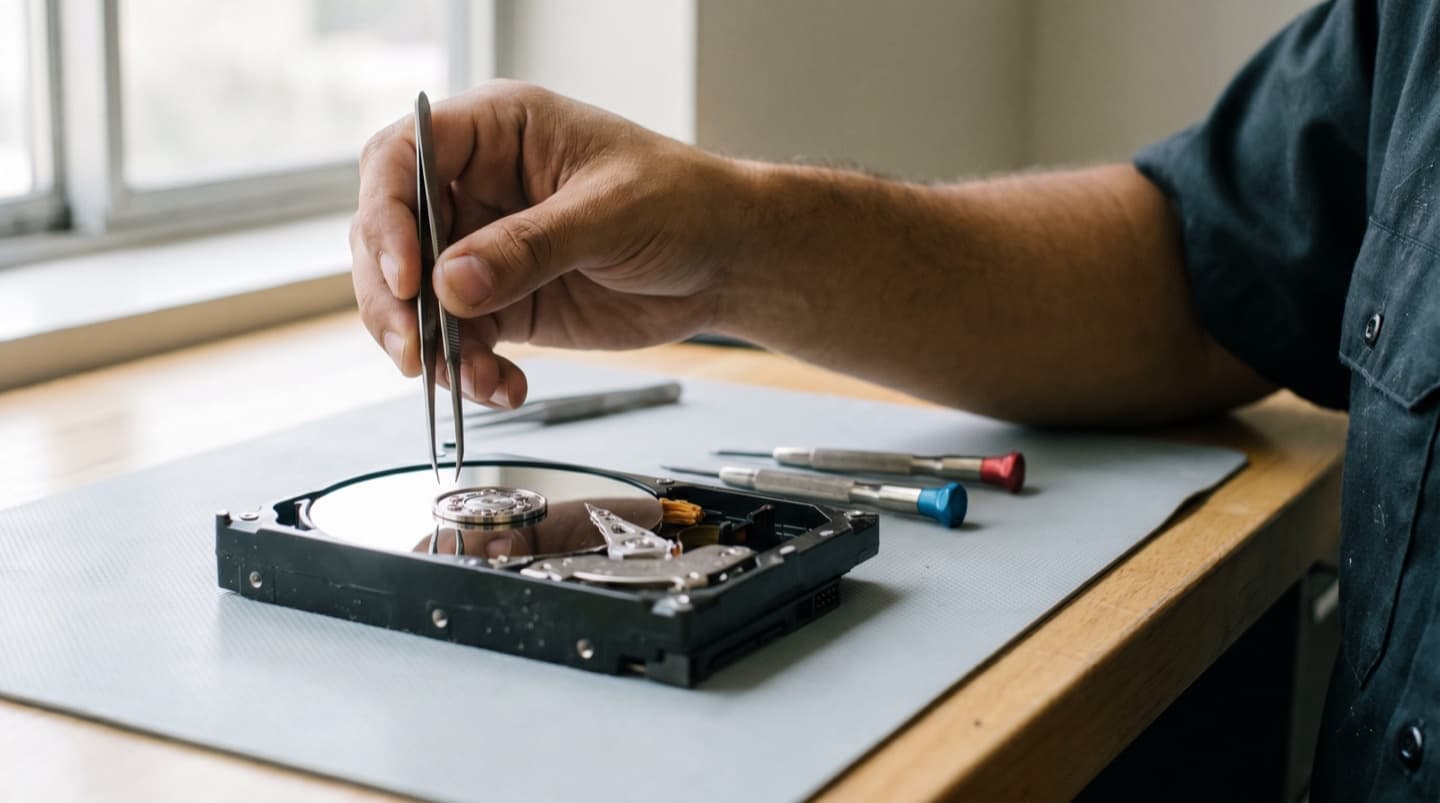
- Don't open it to look. Ordinary room air is dirty enough to finish it off
- Don't reinstall Windows onto the drive to get it working again
- Don't rebuild a failed RAID array before the drives have been imaged
What actually happens when you hand us a drive
What actually happens when you hand CompuTech a drive in Calgary. Data recovery has a reputation for being mysterious. It mostly isn't. It's a careful, slow process with one governing rule: never work on the original.
- Assess first. What kind of failure it is, and a straight answer on the odds before you commit to anything
- Image the drive, sector by sector, onto healthy media. Everything after this point happens on the copy
- Read gently around damage rather than hammering the same bad area, because retries are what finish off a dying drive
- Rebuild the file system from the image, recovering structure and folder names where they survived
- Check the files actually open. A recovered photo that won't display isn't recovered
- Return everything on new media, with the original left exactly as it came in
Imaging is the step that takes the time, and there's no shortcut. A healthy drive images quickly. A failing one is read slowly and patiently on purpose, sometimes for days, because speed is what kills the remaining chance.
You'll get an update when the image is done, because that's the point where we know what's realistic. The fixed quote comes before any of it starts, and if we can't get your files back you pay nothing.
What we do here, and what we won't pretend to do
What CompuTech does for data recovery in Calgary, and what it won't pretend to do. Plenty of shops will take a job in, keep it for three weeks and then hand it back. We'd rather tell you at the counter.
What we do here
- Deleted, formatted and corrupted file systems on hard drives, SSDs, USB sticks and memory cards
- Drives that are detected but unreadable, or that drop off part way through
- Imaging failing drives and recovering from the image
- Phones and tablets that won't start, where the storage itself is intact
- Working out which drive in a NAS or RAID failed, and imaging before anything is rebuilt
What needs a cleanroom, and what we'll say about it
If the failure is inside the sealed part of a hard drive, seized bearings, a head crash, a drive that spins and immediately clicks, then it needs opening in genuinely clean air by people who do that all day. We don't have a cleanroom and we won't open your drive on a workbench, because dust on a platter is how a recoverable drive becomes a permanent loss.
In that situation you get the honest version: what we think has failed, that it's beyond bench recovery, and what the specialist route involves so you can decide. That's a job we can't do, so you pay nothing for finding that out.
And the cases where the answer is no
An encrypted drive with no recovery key. A physically destroyed SSD. A Mac with Apple Silicon or a T2 chip whose logic board has died, where the storage is soldered to that board and tied to it. Those are real limits and no budget changes them. We'll tell you at the assessment, not after a month.
SSDs, phones and modern Macs are a different problem
CompuTech's note on SSDs, phones and modern Macs, where old recovery advice is wrong. Most recovery advice online is about spinning hard drives, and a lot of it is now actively wrong for the hardware people actually own.
SSDs forget on purpose
A hard drive leaves deleted files sitting there until something writes over them, which is why recovery works. An SSD is told to erase deleted blocks in the background so it stays fast. That's good for the drive and terrible for you: on an SSD, a deletion can become genuinely unrecoverable within hours. If you've deleted something important from one, call today rather than at the weekend.
SSDs also fail differently
There's rarely a warning noise, because there's nothing to make one. They tend to go from fine to not detected with nothing in between, usually a controller failure. It's an argument for backups rather than for going back to hard drives.
Encryption is on by default now
Modern Windows laptops, Macs and every phone encrypt storage as standard. That's genuinely good for you until the day the machine dies, at which point the recovery key stops being an abstraction. Find yours and write it down somewhere that isn't the machine it protects.
Soldered storage
On Macs with a T2 chip or Apple Silicon, and on older Surface models, the storage is soldered to the board and paired to it. If the board fails, there may be no way to read it at all. There's more detail on the Mac and Surface pages, but the short version is that on those machines a backup isn't optional, it's the only recovery plan there is.
The backup that would have made this a non-event
The backup CompuTech wishes every Calgary customer had before this happened. Nobody wants this conversation while their photos are on a bench. But it's the reason most recovery jobs happen, so here it is briefly, and we'll set it up as part of another job if you ask.
- Two copies, in two places, one of them not in your house. A drive at home plus a cloud copy covers fire, flood and theft as well as failure
- It has to run on its own. Any backup that depends on remembering isn't one
- Keep the backup drive unplugged between runs where you can, because ransomware encrypts whatever is attached
- Test a restore once. Pull one file back and open it. A backup nobody has ever restored from is a hope
- Check what's actually included, since photos on a phone and files in a work account are easy to leave out
If you already have something running, ask us to look at it while we've got the machine. Backups that quietly stopped working eighteen months ago are one of the more common things we find, and people are always certain theirs is fine right up until we check.
Same-day, honestly defined
Same-day from CompuTech, defined for Chestermere. Because Chestermere is close, same-day is realistic more often than not when you call in the morning. Most repairs are finished during the visit.
What same-day doesn't mean is that every part is on the van. If your model needs a screen or a battery we don't stock, we'll tell you that on the phone and give you a real timeline instead of a hopeful one.
In-home visits run Monday to Saturday. Sunday the Calgary shop takes appointments. Bench work goes back to Calgary, gets one agreed price before it starts, and comes back out to you.
No surprises. Ever.
You know what a visit costs before you book, and you agree the price of any repair before work begins. If we can't fix it, you don't pay. Simple as that.
Visits are 1 hour minimum, then billed by the half hour. If Mo can't fix it, you don't pay, and nothing gets opened or ordered until you've said go.
- In-home visit
- $99/hr
- Remote session
- $65/hr
- In-shop drop-off
- No charge to look
Three steps to getting it back
“I could not be happier with my repair service and the way my laptop is working! He offered extra advice on how to set up my home office, as well as how to make me more efficient utilizing my laptop! Very happy girl over here!! Thank you Moe!! 10 out of 10 recommend!!!”
“Great experience for us! We needed an old laptop repaired and we received a quick estimate and reasonable price! We are very satisfied.”
“I want to highly recommend Mohammed. Once I contacted due to laptop issues he was pretty much on my doorstep to get my laptop back in action. There were quite a few issues with the laptop but he stayed to the bitter end to get it fully functional.”
Questions, answered
Yes. It's one of the closer towns on the in-home list, sitting right on the city's eastern edge, and it books like any other in-home visit.
There's a travel fee, because Chestermere is outside city limits even if it doesn't feel like it. Mo confirms the amount when you book, before the visit.
Often the same day if you call in the morning. Chestermere being close helps, but the day still fills from the top.
All of Chestermere: Westmere, Rainbow Falls, Kinniburgh, Dawson's Landing, Lakepointe, The Cove, Chelsea and the older lakefront streets.
Almost certainly not. Paying for a faster plan doesn't push signal through more walls. In houses shaped like the ones on the lake it's nearly always placement, and it's fixed with one access point in the right spot or one cable run properly.
Completely. Recovered files are handled confidentially, returned only to you, and wiped from our equipment after handover.
It depends on the failure. That's why the assessment comes first. You get a straight answer before you commit to anything.
Every minute a failing drive runs can overwrite the files you want back. Power it off and bring it in.
Logical means the drive works but the information about where your files live is damaged: deleted, formatted, corrupted, a partition that vanished. Physical means the drive itself has failed mechanically or electronically. Logical recovery is usually faster and the odds are better. Physical is slower, costs more, and sometimes has a genuine ceiling.
Almost always that the read heads can't find their position and are resetting, over and over. It's mechanical failure in progress. Every extra minute of power increases the chance of the heads touching the platters, and that damage is permanent. Switch it off now.
No. That advice has been circulating for twenty years and it does more harm than good. Condensation forms on the platters as it warms, which is precisely what you don't want inside a sealed drive.
You can, and it sometimes works for a simple deletion, but understand the risk. Most of those tools install onto the same drive you're trying to recover from, which can overwrite the very files you want. If a drive is failing mechanically, running a full scan is hours of extra wear at the worst possible moment.
Usually not, and tell us what you ran so we're not guessing. It matters more if the drive was physically failing, or if the tool wrote its own files onto the drive. Either way, stop now and let us image it before anything else touches it.
Not in a normal workshop, and neither should anyone else. A hard drive's internals need genuinely clean air; opening one on a bench gets dust onto the platters and can turn a recoverable drive into a permanent loss. If your drive needs opening, that's specialist cleanroom work and we'll tell you plainly rather than have a go.
When the failure is inside the sealed part: seized bearings, head crash, a drive that spins up and immediately clicks. We assess it, tell you what we think it is, and say honestly if it's beyond what can be done outside a cleanroom, including roughly what that route involves.
Sometimes, and it's a very different job from a hard drive. If the drive still responds we can often image it. But most modern systems tell an SSD to erase deleted blocks in the background, so on an SSD a deletion becomes permanent far faster than on a spinning drive. If files were deleted from an SSD, hours matter.
Yes, and this is the one that catches people. If the drive was encrypted with BitLocker or FileVault, we need the recovery key or the account it's tied to. Without it, even a perfect image of the drive is unreadable. Go and find your key before you need it.
On older Intel Macs, usually. On any Mac with a T2 chip or Apple Silicon, the storage is soldered to the logic board and tied to it, so if the board has failed there may be no route in at any price. We'll tell you which yours is early rather than late.
Often, yes. Dead phones and tablets are a regular job here, and photos are usually exactly what we're rescuing. Modern phones are encrypted by default, so knowing the passcode matters.
Talk to us first. A rebuild puts every remaining drive under heavy sustained load, which is exactly when a second one that was already marginal tends to fail. That turns a recoverable situation into a much harder one. Imaging the drives before any rebuild is the safer order.
A straightforward logical recovery is often a day or two. Imaging a failing drive is slow by design, because it's read gently and retried around bad areas, and that can run for days. You'll get a realistic timeline with the quote, not a hopeful one.
On new media, usually a drive we supply or one you bring. We don't return recovered data to the drive it came from, because that drive is the one that already failed you once.
Drop the drive at the shop and there's no charge to look. Then you get a fixed quote before any recovery, and if we can't get your files back, you pay nothing.
Related pages
Lost something important?
Book a visit to Chestermere, or call.