A drive that clicks, disappears from the system, or won't let the computer boot is telling you something's wrong, and the clock is running. Before anything else, sort out which of three very different jobs you have: a fix, a replacement, or a data recovery. They cost different amounts and call for different handling, and getting the category wrong is how people lose files for good.
- A clicking, grinding, or buzzing drive is physically failing. Power it off now.
- The three jobs, fix, replacement, and recovery, cost very different amounts.
- Catch a failing drive while it still reads and you skip the expensive recovery.
- Never run online "repair" tools on a physically failing drive.
- A diagnosis tells the three apart before anyone opens the drive.
The one rule that matters most
If you can hear the drive clicking, grinding, or buzzing, stop using it now. Don't restart it hoping it comes back. Don't run repair tools on it. Every spin-up of a mechanically failing drive can take your files further out of reach.
That noise means physical damage inside the drive. This is a recovery job, not a repair, and continued use is the fastest way to turn recoverable into gone.
A drive making mechanical noise is physically failing. The safest thing you can do for your files is stop using it and get it assessed before anything else.
Fix, replace, or recover: which one is this?
Three different situations get lumped under "fix my hard drive." They aren't the same job.
A fix (the software kind)
Deleted a file, a corrupted Windows install, a partition that stopped mounting, a drive that's still healthy but acting up. The drive itself is fine; the problem is the data or the system on it. These are usually sorted with recovery software or a repair of the operating system, and they're the least expensive of the three.
A replacement
The drive is old, slow, or full of bad sectors, but your files are still accessible. Here the move is to copy everything off and put in a new drive, ideally an SSD. You get your data plus a machine that feels years faster. This is the happy ending, and it's why acting early matters: catch a failing drive while it still reads and you skip the expensive recovery entirely.
A recovery
The drive won't power on, isn't detected, or is making noise, and your files are trapped on it. This is the specialist end. Depending on the failure it can mean electronic board work, or in the worst cases a cleanroom to open the drive safely. It's the most involved and the most expensive, which is exactly why you don't want to let a simple failing drive slide until it becomes this.
The whole point of a diagnosis is telling these apart before anyone touches the drive.
Matching the symptom to the job
| What you're seeing | What it usually is |
|---|---|
| Deleted or missing files, drive still works | Software fix or recovery |
| Slow, laggy, but readable | Replace with an SSD |
| Won't boot, drive detected | System repair |
| Clicking or grinding | Recovery, stop using it |
| Not detected at all | Diagnosis first, could be cable to cleanroom |
What this tends to cost
Prices swing a lot because the three jobs are so different, and no honest shop can quote a real number without seeing the drive first. As a rough guide to the market:
- A software-level recovery or system repair is the low end.
- A straightforward drive replacement plus copying your data across sits in the middle, and you come out with a faster machine.
- A physical recovery, especially anything needing a cleanroom, is the expensive end, and RAID or business jobs are quoted case by case.
Treat those as ballpark market ranges, not a menu. A drive that clicks might be a modest job or a serious one, and nobody can tell you which over the phone. Look for a "no data, no fee" policy on recovery, and always ask whether the diagnosis is free before the work starts. Ours is, and we give you a flat quote before we begin so there are no surprises. If the files aren't worth what a full recovery would cost, we'll tell you that too.
What not to do while it's failing
These are the moves that turn a recoverable drive into a lost one:
- Restarting the computer over and over hoping it catches. Each cycle stresses a failing drive.
- Running random "hard drive repair" tools you found online. On a physically failing drive they can finish the job off.
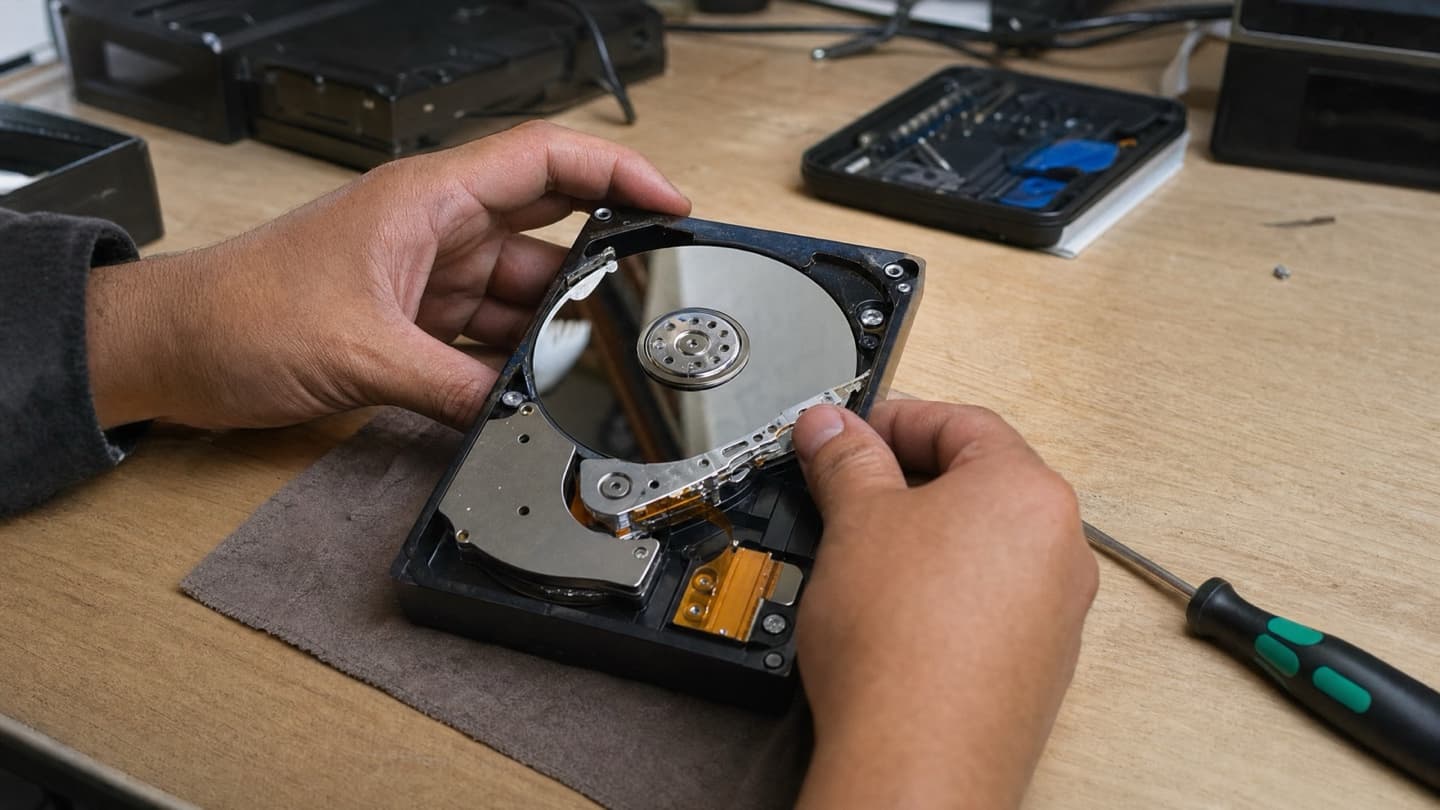
- Opening the drive yourself. The insides have to stay contaminant-free; a kitchen table is not that.
- Keeping the computer running normally off a drive you suspect is dying.
If your data matters, the DIY attempts are where it usually gets lost for good.
When to act immediately
Don't wait if any of these are true:
- You hear clicking or grinding.
- The drive suddenly vanished from the system.
- Files you need are missing.
- The machine won't boot.
- The drive runs hot to the touch.
The sooner a failing drive is handled, the better the odds of getting everything off it.
That's the whole game with storage: time works against you.
After it's sorted, don't get caught again
Whatever the outcome, set yourself up so the next drive failure is a shrug, not a crisis:
- Keep a backup that isn't the same drive. A second copy somewhere is the difference between an inconvenience and a disaster.
- Use cloud storage for the files you can't lose.
- Replace drives that are getting old rather than running them into the ground.
- Move to an SSD if you're still on a spinning drive. Fewer moving parts, and it's faster.
Related storage and recovery help
- Computer repair service
- Hardware repair and upgrades
- Virus removal Calgary
- Onsite computer repair service
- Data recovery service Calgary
If the drive is failing right now
The single best thing you can do is stop using it and get it looked at before you try anything else. We'll tell you whether it's a fix, a replacement, or a recovery, and quote a flat price before any work. Diagnosis is free, and if the drive is too far gone to be worth a full recovery, we'll be straight with you rather than run up a bill.
Stop using the drive and get it assessed. We'll tell you what's recoverable and quote a flat price before any work starts.
FAQ
Can a hard drive actually be fixed?
Sometimes. Software problems like deleted files, a corrupted system, or a bad partition are often repairable. Physical failures, the clicking and grinding kind, are a recovery job rather than a fix.
My drive is clicking. What do I do?
Turn it off and leave it off. Clicking means physical damage inside, and every extra minute of use lowers the odds of getting your files back. Get it assessed before anything else.
How long does data recovery take?
Anywhere from same day for a simple case to several days for a serious physical failure. It depends entirely on what's wrong, which is why a diagnosis comes first.
Should I repair the drive or just replace it?
If it's old or damaged, replacing it makes more sense, usually with an SSD. If your files are still stuck on it, recovery comes first, then replacement. A healthy drive with a software issue is worth fixing as is.
How much does recovery cost?
It ranges widely with the severity, from a modest software recovery to a much larger bill for a physical or cleanroom job. Nobody can give you a real figure without seeing the drive. Ask for a free diagnosis and a flat quote before any work begins.